|
|
|
|
|
This software was checked for viruses 5 months ago and was found to contain no viruses.
Click here
to see antivirus report.
|
|
| |
|
Review
This is official description
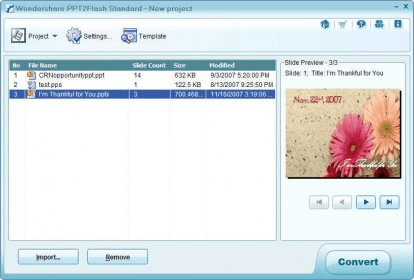
Wondershare PPT2Flash Standard enables users to convert PowerPoint to Flash presentations easily, quickly and accurately for online sharing and Web publishing. It supports 170+ animation effects and slide transitions, and allows to import background music or customize audio for each slide. It has a Flash player template with slide thumbnails and info bar to retain slide notes and author information. The genuinely useful features of PPT2Flash Standard include: Generate one solid SWF file; Generate separate SWF file for each slide; Drastically reduce the file size by 90%; Support 170+ animations and transitions in PowerPoint; Import background audio for each single slide or the whole slideshow; Record voice narration for each single slide; Insert flash movie in a specified slide and perfectly incorporate it with the slide; Simple and clear Flash player with playback control bar;
The following review written by one of the Software Informer contributors applies to version 1.0
Wondershare PPT2Flash Standard is an application that lets you enhance and convert PPT slide shows to interactive flash presentations compatible with many computer platforms and web browsers.
It works as an add in and places a menu in your Power Point toolbar with options to add Flash movies, capture screens to your slide shows, record narration, adjust audio in slides, and export the slideshow as a SWF Flash file. It also lets you choose a template for the output, frame rate, movie size, compression, quality, and background.
I liked this program. It is easy to use, becomes a new menu in your power point and integrates all of its features to the slide show creation process making it available all the time. If you want to test this software, a free 30 day trial is available for download.
System Requirements
Microsoft Windows 2000/XP/2003/Vista
Microsoft Office PowerPoint 2000/XP/2003/2007
128 MB RAM (256 MB Recommended)
Available disk space: 25MB
DirectX 8.1 or above
Windows-compatible video card with at least 800dpi x 600dpi resolution
Windows-compatible sound card (Recommended)
Macromedia Flash Player 8 |
- Integrates with Power Point as a menu.
- Easy to use.
|
|
|
Reviewed by: Daniel Verdesoto Reviewer rating: Reviewed: 3 years ago
|
What's new in version 4.8
1. PowerPoint Add-in Mode Only; 2. Fixed the Playback Issue of Mask Animation; 3. Fixed the Audio Issue with Adobe Flash Player 9. |
|
Report a wrong version
Report a wrong program title
Suggest a correction
|
Screenshots
|